> For the complete documentation index, see [llms.txt](https://docs.coordinape.com/llms.txt). Markdown versions of documentation pages are available by appending `.md` to page URLs; this page is available as [Markdown](https://docs.coordinape.com/get-started/get-started/new-coordinape-admins/record-contributions.md).
# Contributions and Epoch Statements
How your Circles know what their members did
### Epoch Statements
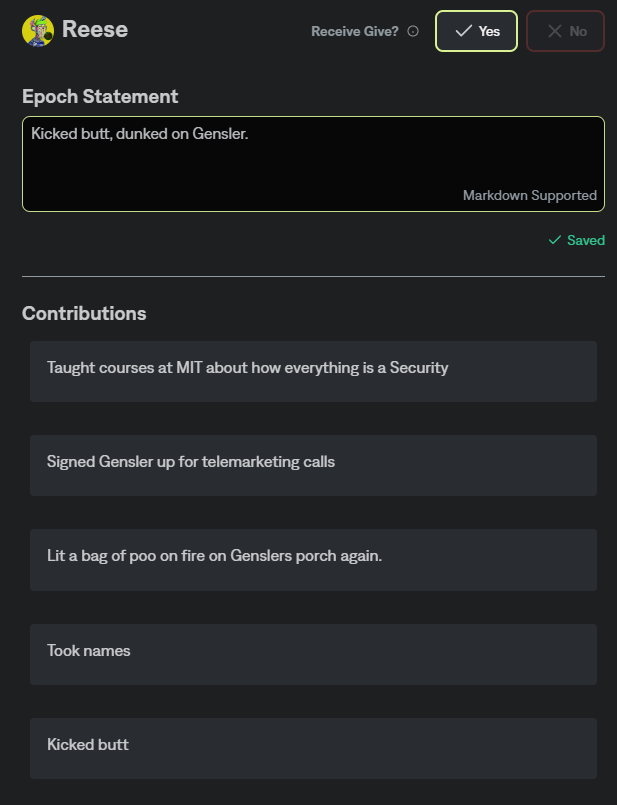
Each Epoch will prompt users to enter their Epoch Statement, which should function as a summary of all the contributions that user made during the active epoch.
### Contributions
During the Epoch your Circle Members will be able to add individual contributions that will reflect the various tasks they accomplished.
(These contributions can also be populated via our [Integrations](/info/integrations.md) with web 3 work tracking tools like [Dework](/info/integrations/dework.md) and [Wonderverse](/info/integrations/wonderverse.md).)
{% tabs %}
{% tab title="Epoch Statement" %}
During an active Epoch you can set your Epoch Statement. Your statement is public for anyone in the Circle and will show up on your card during the allocation phase for other users to view.
The Epoch Statement details the work you have done this month or clarifies work that the DAO wants to compensate.
\
**Best Practices**\
It's best to summarize your work so that anyone from your team can understand what you did and its impact/goal. Quantify your work where ever possible for better understanding.
\
**Examples**
* Created the marketing plan for Coordinape, sent 6,000 tweets, and received 12,000 RTs
* Pushed 6 Github issues to allow us to unblock back-end work and resolve bugs impacting the user.
* Redesigned the landing page to guide users to the valuable part of our docs easier
{% endtab %}
{% tab title="Contributions" %}
Users can enter contributions to easily track all of their contributions to the team.
**Best Practice:**
Enter a new contribution for the tasks that you complete, to add color to your epoch statement. The Epoch statement can function as a TLDR of all of your contributions.
**Examples**:
* Onboarding call with Bankless
* Crafted Tweet thread for ETH Vaults
* Deployed Coordinape Vaults to new Chain
{% endtab %}
{% tab title="Give Tokens" %}
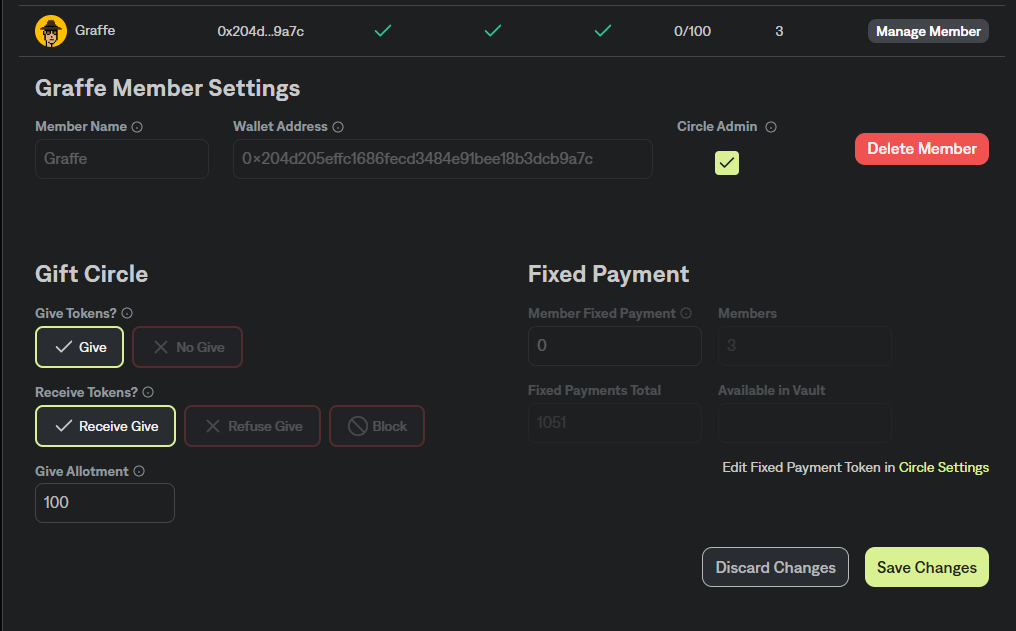
**From the Members Page you can manage your Circle Member's settings**
#### Give Tokens
Decide if a user can Give tokens in this Epoch
#### Receive Tokens
Decide if a user can Receive tokens (Admin can lock a user from receiving as well)
#### Give Allotment
How many Give tokens this user can allocate
#### Fixed Payment
How much fixed payment this user will receive at the end of this Epoch.\
\
For more information, click here 👇
{% content-ref url="/pages/sEDgsTCizOtIqlbbJ7lC" %}
[GIVE in Gift Circles](/get-started/give.md)
{% endcontent-ref %}
{% endtab %}
{% endtabs %}